Best Tablets for Work and Study UK 2026: The Complete Buying Guide
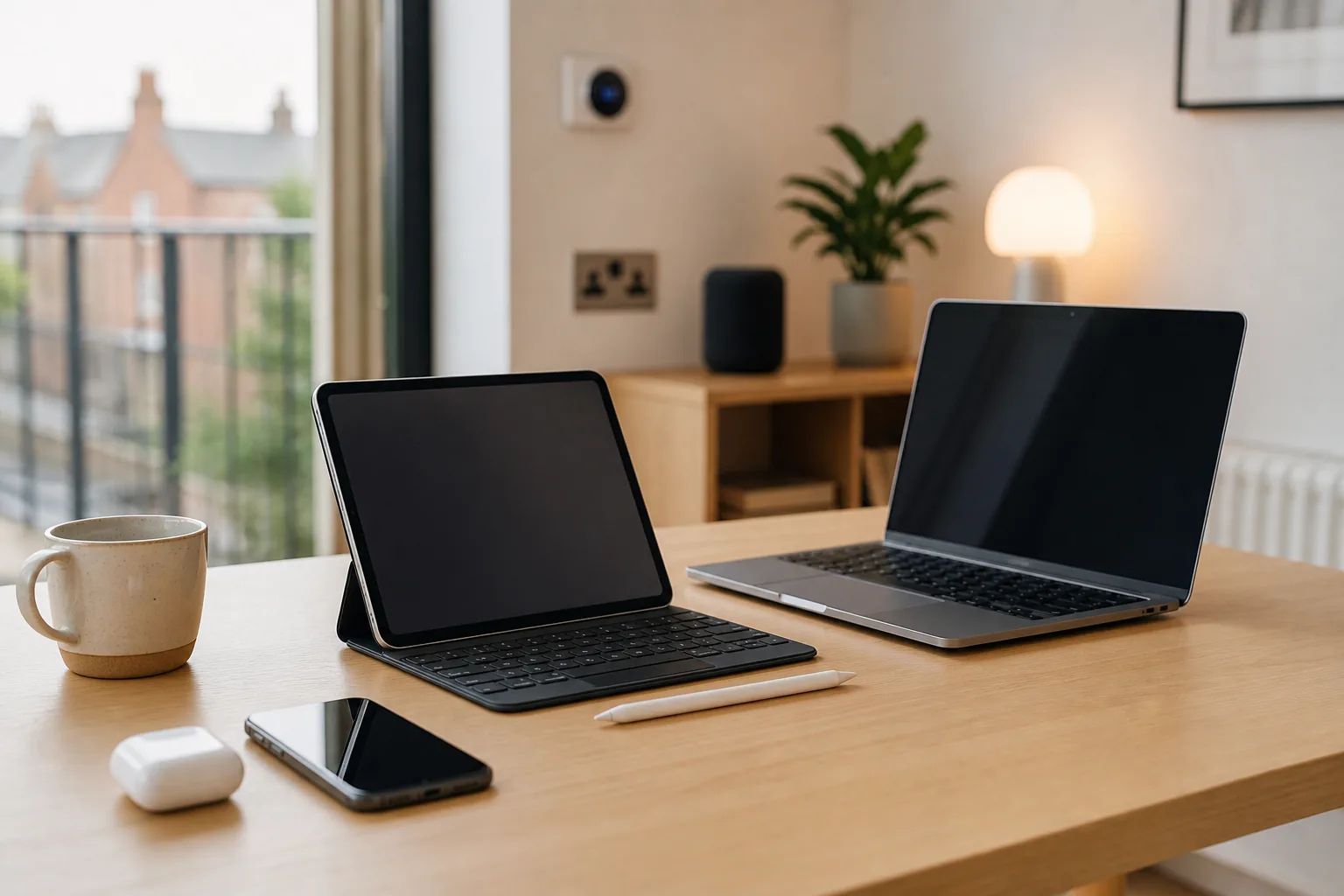
The tablet market has matured dramatically over the past few years. What was once a category defined by media consumption has evolved into a genuine productivity platform — today's best tablets can replace a laptop for many tasks, handle demanding creative work, and serve as indispensable study companions for students at every level. Whether you're a professional looking for a portable second screen, a student who wants to annotate lecture notes, or someone who simply wants a versatile device for work and leisure, there's a tablet for you in the UK market in 2026.
This guide covers the best tablets available in the UK across every budget, from budget-friendly Amazon Fire tablets to the powerhouse Apple iPad Pro. We've included current UK pricing from major retailers including Amazon UK, Currys, John Lewis, Argos, and the Apple and Samsung UK stores, along with honest assessments of which tablet suits which type of user.
All prices are approximate as of September 2026 and are subject to change. Always check current prices at your preferred UK retailer before purchasing.
How to Choose the Right Tablet: Key Considerations
Operating System: The Most Important Decision
Your choice of operating system will shape everything else about your tablet experience:
- iPadOS (Apple iPad): The most polished tablet operating system available. Excellent app ecosystem, outstanding stylus support with Apple Pencil, and seamless integration with other Apple devices. The best choice for creative work, note-taking, and anyone already in the Apple ecosystem.
- Android (Samsung Galaxy Tab, Lenovo Tab): More flexible than iPadOS, with better file management and greater customisation. Samsung's DeX mode turns compatible tablets into a desktop-like experience. The best choice for Android smartphone users and those who want more control over their device.
- Windows (Microsoft Surface Pro): Full Windows 11 means you can run any Windows application — including desktop software that isn't available on iPadOS or Android. The best choice for professionals who need specific Windows applications or want a true laptop replacement.
- Fire OS (Amazon Fire): A heavily customised version of Android optimised for Amazon's ecosystem. Limited app selection compared to Google Play, but excellent value for media consumption and casual use.
Screen Size
- 8–9 inches: Highly portable, fits in a bag easily. Best for reading, casual browsing, and on-the-go use. Less comfortable for extended productivity work.
- 10–11 inches: The sweet spot for most users. Large enough for comfortable productivity, small enough to carry easily. The most popular size category.
- 12–14 inches: Laptop-like screen real estate. Excellent for productivity and creative work, but heavier and less portable.
Stylus Support
If you plan to take handwritten notes, annotate documents, or do any creative work, stylus support is essential. The three main stylus ecosystems are:
- Apple Pencil: The gold standard for tablet stylus input. The Apple Pencil Pro (compatible with iPad Air M3 and iPad Pro M4) and Apple Pencil (USB-C) offer excellent pressure sensitivity and low latency. Sold separately — prices range from approximately £29 (Apple Pencil USB-C) to £129 (Apple Pencil Pro) as of September 2026.
- Samsung S Pen: Included with Galaxy Tab S9 series tablets. Excellent pressure sensitivity and tilt recognition. Works without Bluetooth for basic functions.
- USI (Universal Stylus Initiative): An open standard supported by some Lenovo and other Android tablets. Less common than Apple Pencil or S Pen.
Best Tablets by Category (UK Pricing, September 2026)
Best Budget Tablet: Amazon Fire HD 10 (2023)
Price: Approximately £149–£179 at Amazon UK and Argos as of September 2026
The Amazon Fire HD 10 is the best value tablet available in the UK for casual use. Its 10.1-inch Full HD display is bright and sharp enough for streaming video, browsing the web, and reading. The 2023 model includes 3GB of RAM and an octa-core processor — a meaningful upgrade over its predecessor — and battery life of up to 12 hours is genuinely impressive at this price point.
The Fire HD 10 runs Amazon's Fire OS, which is based on Android but uses Amazon's Appstore rather than Google Play. This means popular apps like Netflix, Disney+, BBC iPlayer, and Spotify are available, but you won't find Google apps or many specialist applications. For media consumption and casual browsing, this limitation rarely matters. For productivity or study, it's a significant constraint.
Pros:
- ✅ Excellent value for money
- ✅ Good battery life (up to 12 hours)
- ✅ Bright Full HD display
- ✅ USB-C charging
Cons:
- ❌ Limited app ecosystem (no Google Play)
- ❌ No stylus support
- ❌ Modest performance for demanding tasks
- ❌ Heavily integrated with Amazon ecosystem
Best for: Media consumption, casual browsing, Amazon Prime Video users, gift for children
Best Budget Android Tablet: Samsung Galaxy Tab A9+
Price: Approximately £249–£329 at Amazon UK, Currys, and Argos as of September 2026
The Samsung Galaxy Tab A9+ is the best Android tablet under £350 available in the UK. Its 11-inch LCD display with a 90Hz refresh rate is smooth and comfortable to use, and the Snapdragon 695 processor handles everyday tasks — web browsing, streaming, light productivity — without difficulty. Crucially, it runs full Android with Google Play, giving you access to the complete Android app ecosystem.
The Tab A9+ supports Samsung's DeX mode, which transforms the tablet into a desktop-like experience when connected to a monitor or keyboard. It's not as powerful as the Galaxy Tab S9 series, but for students and casual users, it represents excellent value.
Pros:
- ✅ Full Android with Google Play
- ✅ 90Hz display for smooth scrolling
- ✅ Samsung DeX support
- ✅ Good battery life
- ✅ Expandable storage via microSD
Cons:
- ❌ No S Pen included (not compatible)
- ❌ LCD rather than AMOLED display
- ❌ Modest processor for demanding tasks
Best for: Students, Android users, general productivity on a budget
Best Mid-Range Tablet: Apple iPad (10th Generation)
Price: Approximately £349–£499 at Apple UK, Amazon UK, Currys, John Lewis, and Argos as of September 2026
The iPad (10th generation) remains one of the best-value tablets available in the UK. Its 10.9-inch Liquid Retina display is bright, colour-accurate, and a pleasure to use for both work and media. The A14 Bionic chip — the same processor that powered the iPhone 12 — delivers performance that comfortably handles demanding apps, multitasking, and even light creative work.
The 10th-generation iPad supports the Apple Pencil (USB-C), sold separately at approximately £79 as of September 2026, making it a capable note-taking and annotation device. It also supports the Magic Keyboard Folio (sold separately), which transforms it into a laptop-like device. The USB-C port is a welcome upgrade from the Lightning connector of previous generations.
Pros:
- ✅ Excellent performance for the price
- ✅ Beautiful Liquid Retina display
- ✅ Apple Pencil (USB-C) support
- ✅ USB-C connectivity
- ✅ Outstanding app ecosystem
- ✅ Long software support (typically 5+ years)
Cons:
- ❌ Accessories (keyboard, pencil) sold separately and expensive
- ❌ Only 64GB base storage (256GB recommended)
- ❌ No ProMotion (60Hz only)
Best for: Students, general productivity, Apple ecosystem users, first iPad buyers
Best for Students: Samsung Galaxy Tab S9 FE
Price: Approximately £349–£449 at Amazon UK, Currys, and Argos as of September 2026
The Samsung Galaxy Tab S9 FE (Fan Edition) is an outstanding choice for students. It includes the S Pen stylus in the box — a significant advantage over the iPad, where the Apple Pencil is a costly extra — and its IP68 water and dust resistance rating means it can survive the inevitable spills and knocks of student life. The 10.9-inch display is bright and sharp, and the Exynos 1380 processor handles note-taking, research, and streaming without difficulty.
The Tab S9 FE runs Android with Samsung's One UI, giving access to the full Google Play app ecosystem. Samsung Notes is an excellent note-taking application that works seamlessly with the S Pen, and the tablet supports Samsung DeX for a desktop-like experience when needed.
Pros:
- ✅ S Pen included in the box
- ✅ IP68 water and dust resistance
- ✅ Full Android with Google Play
- ✅ Good battery life
- ✅ Expandable storage via microSD
Cons:
- ❌ Exynos 1380 less powerful than Snapdragon 8 Gen 2
- ❌ LCD display (not AMOLED)
- ❌ Bulkier than iPad equivalents
Best for: Students, note-takers, Android users who want stylus support included
Best Premium Android Tablet: Samsung Galaxy Tab S9+
Price: Approximately £749–£999 at Amazon UK, Currys, John Lewis, and Samsung UK as of September 2026
The Samsung Galaxy Tab S9+ is the best large-screen Android tablet available in the UK. Its 12.4-inch Dynamic AMOLED 2X display with a 120Hz refresh rate is stunning — colours are vivid, blacks are deep, and the high refresh rate makes everything feel fluid. The Snapdragon 8 Gen 2 processor is genuinely powerful, handling demanding applications, multitasking, and even light video editing without breaking a sweat.
The S Pen is included, and Samsung DeX mode transforms the Tab S9+ into a capable desktop replacement when paired with a keyboard and monitor. The IP68 rating provides peace of mind, and the 10,090mAh battery delivers all-day battery life. For Android users who want the best possible tablet experience, the Galaxy Tab S9+ is the clear choice.
Pros:
- ✅ Stunning 12.4" AMOLED 120Hz display
- ✅ Snapdragon 8 Gen 2 — top-tier performance
- ✅ S Pen included
- ✅ IP68 water and dust resistance
- ✅ Samsung DeX desktop mode
- ✅ Excellent battery life
Cons:
- ❌ Expensive
- ❌ Keyboard cover sold separately
- ❌ Large and heavy for portable use
Best for: Power users, creative professionals, Android enthusiasts, those wanting a laptop replacement
Best for Creative Work: Apple iPad Air (M3, 2025)
Price: Approximately £599–£1,099 at Apple UK, Amazon UK, Currys, and John Lewis as of September 2026
The iPad Air with M3 chip is the sweet spot in Apple's iPad lineup for creative professionals and serious students. The M3 chip delivers performance that rivals many laptops, handling demanding creative applications like Procreate, LumaFusion, and even Final Cut Pro (available as a subscription on iPad) with ease. The 11-inch and 13-inch Liquid Retina displays are bright, colour-accurate, and support the Apple Pencil Pro for the most precise stylus input available on any tablet.
The iPad Air M3 supports the Magic Keyboard with trackpad (sold separately), which transforms it into a genuinely capable laptop replacement for many workflows. USB-C connectivity supports fast data transfer and external display output. For students in creative disciplines — art, design, music, film — the iPad Air M3 is the best tablet available in the UK.
Pros:
- ✅ M3 chip — exceptional performance
- ✅ Apple Pencil Pro support
- ✅ Available in 11" and 13" sizes
- ✅ Excellent app ecosystem for creative work
- ✅ USB-C with fast data transfer
- ✅ Long software support
Cons:
- ❌ Expensive, especially with accessories
- ❌ Apple Pencil Pro and Magic Keyboard sold separately
- ❌ iPadOS still has some limitations vs macOS
Best for: Creative professionals, art and design students, serious productivity users
Best Windows Tablet: Microsoft Surface Pro 11
Price: Approximately £1,099–£2,299 at Microsoft UK, Amazon UK, Currys, and John Lewis as of September 2026
The Microsoft Surface Pro 11 is the best Windows tablet available in the UK and one of the most capable portable computers of any kind. Running full Windows 11, it can run any Windows application — including desktop software that simply isn't available on iPadOS or Android. The Snapdragon X Elite and Snapdragon X Plus processors (depending on configuration) deliver excellent performance and outstanding battery life, with Microsoft claiming up to 14 hours of typical use.
The Surface Pro 11 is a Copilot+ PC, meaning it supports Microsoft's AI-powered features including Recall, Cocreator in Paint, and live captions with real-time translation. The 13-inch PixelSense Flow display with a 120Hz refresh rate is excellent, and the Surface Slim Pen 2 (sold separately or bundled in some configurations) provides precise stylus input. For professionals who need Windows applications in a portable form factor, the Surface Pro 11 is unmatched.
Pros:
- ✅ Full Windows 11 — run any Windows application
- ✅ Excellent performance and battery life
- ✅ 120Hz PixelSense Flow display
- ✅ Copilot+ AI features
- ✅ True laptop replacement
Cons:
- ❌ Very expensive
- ❌ Type Cover keyboard sold separately
- ❌ Heavier than comparable iPads
- ❌ Windows on ARM still has some application compatibility limitations
Best for: Business professionals, those who need Windows applications, power users wanting a true laptop replacement
Comparison Table: Best Tablets UK 2026
| Model | OS | Screen | Processor | Stylus | Approx. UK Price | Best For |
|---|---|---|---|---|---|---|
| Amazon Fire HD 10 (2023) | Fire OS | 10.1" Full HD | Octa-core | No | £149–£179 | Media, casual use |
| Samsung Galaxy Tab A9+ | Android | 11" LCD 90Hz | Snapdragon 695 | No | £249–£329 | Budget Android |
| Apple iPad (10th gen) | iPadOS | 10.9" Liquid Retina | A14 Bionic | Apple Pencil (USB-C, extra) | £349–£499 | Students, general use |
| Samsung Galaxy Tab S9 FE | Android | 10.9" LCD | Exynos 1380 | S Pen (included) | £349–£449 | Students, note-taking |
| Samsung Galaxy Tab S9+ | Android | 12.4" AMOLED 120Hz | Snapdragon 8 Gen 2 | S Pen (included) | £749–£999 | Power users, Android |
| Apple iPad Air (M3, 2025) | iPadOS | 11" or 13" Liquid Retina | Apple M3 | Apple Pencil Pro (extra) | £599–£1,099 | Creative work, productivity |
| Microsoft Surface Pro 11 | Windows 11 | 13" PixelSense 120Hz | Snapdragon X Elite/Plus | Surface Slim Pen 2 (extra) | £1,099–£2,299 | Professionals, Windows apps |
Which Tablet Should You Buy? Our Recommendations
For Students on a Budget
The Samsung Galaxy Tab S9 FE (approximately £349–£449 as of September 2026) is the best choice for students who want stylus support without paying extra. The included S Pen, IP68 rating, and full Android ecosystem make it an excellent study companion. If you're already in the Apple ecosystem, the iPad (10th generation) at approximately £349–£499 is equally compelling — just budget for the Apple Pencil (USB-C) separately.
For Professionals and Remote Workers
The Apple iPad Air M3 (approximately £599–£1,099 as of September 2026) is the best tablet for professionals who work primarily in Apple's ecosystem or creative applications. For those who need Windows applications, the Microsoft Surface Pro 11 (approximately £1,099–£2,299 as of September 2026) is the only tablet that can truly replace a laptop.
For Media Consumption and Casual Use
The Amazon Fire HD 10 (approximately £149–£179 as of September 2026) is outstanding value for streaming, browsing, and reading. If you want access to Google Play and a more capable processor, the Samsung Galaxy Tab A9+ (approximately £249–£329 as of September 2026) is the better choice.
For Android Power Users
The Samsung Galaxy Tab S9+ (approximately £749–£999 as of September 2026) is the best Android tablet available in the UK. Its stunning AMOLED display, included S Pen, and Snapdragon 8 Gen 2 processor make it a genuine laptop alternative for Android users.
What to Consider Before You Buy
Don't Forget the Accessories
The headline price of a tablet rarely tells the full story. If you want to use a stylus or keyboard, budget for these separately — they can add £50–£350 to the total cost. The Apple Magic Keyboard for iPad Air, for example, costs approximately £299–£349 as of September 2026. Factor in these costs when comparing tablets across different ecosystems.
Storage: Buy More Than You Think You Need
Tablets typically don't allow you to upgrade storage after purchase (with the exception of Android tablets with microSD card slots). A 64GB tablet will fill up quickly if you download apps, store photos, or work with large files. For most users, 128GB is the minimum recommended storage; 256GB or more is advisable for creative work or if you plan to store a lot of media locally.
Wi-Fi vs 5G/LTE
Most tablets are available in Wi-Fi-only and cellular (4G/5G) variants. The cellular version costs approximately £100–£150 more and requires a separate SIM card and data plan. For most home and office users, Wi-Fi-only is sufficient. If you frequently work on the move without reliable Wi-Fi access, the cellular option is worth considering.
Final Thoughts
The UK tablet market in 2026 offers genuinely excellent options at every price point. For most users, the choice comes down to ecosystem: if you're in the Apple world, the iPad (10th generation) or iPad Air M3 are outstanding; if you prefer Android, the Samsung Galaxy Tab S9 FE or Tab S9+ are the best options; and if you need Windows, the Microsoft Surface Pro 11 stands alone.
Whatever your budget, prioritise the features that matter most to your use case — stylus support for note-takers, display quality for creatives, and raw performance for professionals. And always factor in the cost of accessories before making your final decision.
All prices quoted are approximate as of September 2026 and are subject to change. Always check current prices at your preferred UK retailer before purchasing.
Tom Barrows
Editor, HomeTechLAB
Researched and drafted with AI, reviewed and edited by Tom Barrows. How we produce our guides
Last updated: 25 Oct 2026
Please note: Everything on HomeTechLAB is our subjective opinion, offered to help with your research — not a statement of fact. Always do your own research and check current details with the retailer or manufacturer before you buy.