Why UK Drivers Are Fitting Dashcams
Dashcams have become one of the most practical in-car accessories you can buy in the UK. Whether you want protection against fraudulent insurance claims, evidence in the event of an accident, or simply peace of mind on long motorway journeys, a dashcam is a worthwhile investment. This AI-assisted, thoroughly researched guide walks you through everything you need to know — from choosing the right model to mounting, wiring, and configuring your dashcam correctly for UK roads in 2026.
The UK has seen a significant rise in dashcam adoption over the past several years. Dashcam footage is now accepted as evidence by all major UK insurance providers, and some insurers offer premium discounts for drivers who fit an approved dashcam. Beyond insurance benefits, dashcam footage can be submitted directly to police forces via the National Dashcam Safety Portal, helping to report dangerous driving on UK roads.
Fraudulent insurance claims — sometimes called “crash for cash” scams — remain a concern on UK roads, and dashcam footage is one of the most effective defences against them. For new drivers, fleet operators, and anyone who regularly drives on busy UK motorways, a dashcam is increasingly considered essential rather than optional.
Choosing the Right Dashcam for UK Roads
Before you start the installation process, you need to select the right dashcam for your needs. The UK market is well-served by several reputable brands, with Nextbase being the dominant UK-focused manufacturer. Here is an overview of the main categories and recommended models available in the UK as of September 2026 (prices are subject to change and should be verified at point of purchase):
Entry-Level Dashcams (Under £80)
- Nextbase 222X — One of the most popular entry-level dashcams in the UK, the 222X records in 1080p Full HD at 30fps with a 140-degree wide-angle lens. It features a 2.5-inch IPS touchscreen, night vision, and supports Nextbase’s Rear Window Camera Module. Available at Halfords, Currys, and Amazon UK for approximately £59–£69 as of September 2026 (prices subject to change).
- Vantrue E1 Lite — A compact single-channel dashcam recording at 1080p with a 140-degree field of view. Available on Amazon UK for approximately £49–£59 as of September 2026 (prices subject to change).
- Garmin Dash Cam Mini 2 — An ultra-compact dashcam from Garmin, recording at 1080p with a 140-degree lens. Extremely discreet behind the rear-view mirror. Available at Currys, John Lewis, and Amazon UK for approximately £69–£79 as of September 2026 (prices subject to change).
Mid-Range Dashcams (£80–£200)
- Nextbase 322GW — A step up from the entry-level range, the 322GW records in 1080p HD with Bluetooth and built-in Wi-Fi for easy footage transfer to your smartphone via the Nextbase app. It also features GPS logging, which records your speed and location alongside footage — useful for insurance claims. Available at Halfords, Currys, and Amazon UK for approximately £99–£119 as of September 2026 (prices subject to change).
- Nextbase 422GW — Records in 1440p Quad HD with a 140-degree wide-angle lens, Wi-Fi, Bluetooth, GPS, and Amazon Alexa integration. Supports front and rear camera modules. Available at Halfords, Currys, and Amazon UK for approximately £139–£159 as of September 2026 (prices subject to change).
- Vantrue N4 Pro — A three-channel dashcam (front, interior, rear) popular with taxi drivers and fleet operators. Records front at 4K, interior at 1080p, and rear at 1080p simultaneously. Available on Amazon UK for approximately £169–£189 as of September 2026 (prices subject to change).
Premium Dashcams (£200+)
- Nextbase 622GW — Nextbase’s flagship model, recording in 4K Ultra HD at 30fps with a 140-degree wide-angle lens, image stabilisation, Wi-Fi, Bluetooth, GPS, and Amazon Alexa. Supports the full range of Nextbase camera modules including a rear-facing camera and a cabin-view camera. Available at Halfords, Currys, and Amazon UK for approximately £229–£249 as of September 2026 (prices subject to change).
- Garmin Dash Cam 67W — Records in 1440p with a 180-degree ultra-wide lens, built-in Wi-Fi, and Garmin’s driver alerts system. Available at Currys, John Lewis, and Amazon UK for approximately £179–£199 as of September 2026 (prices subject to change).
- BlackVue DR970X-2CH — A premium two-channel (front and rear) dashcam recording front at 4K and rear at 2K, with built-in Wi-Fi, GPS, and cloud connectivity via the BlackVue Cloud service. Available from specialist dashcam retailers and Amazon UK for approximately £349–£399 as of September 2026 (prices subject to change).
What You Need Before You Start
Before fitting your dashcam, gather the following items:
- Your chosen dashcam and all included accessories (mount, power cable, USB cable)
- A microSD card — most dashcams do not include one. Look for a card rated Class 10 or UHS-I (U1 or U3) with a capacity of 32GB, 64GB, or 128GB. Nextbase recommends its own branded microSD cards, but reputable alternatives from SanDisk, Samsung, and Lexar are widely available at Currys, Amazon UK, and Argos.
- A trim removal tool (optional but helpful for routing cables neatly)
- A hardwire kit if you want parking mode (more on this below)
Step-by-Step: How to Mount and Set Up Your Dashcam
Step 1: Choose Your Mounting Position
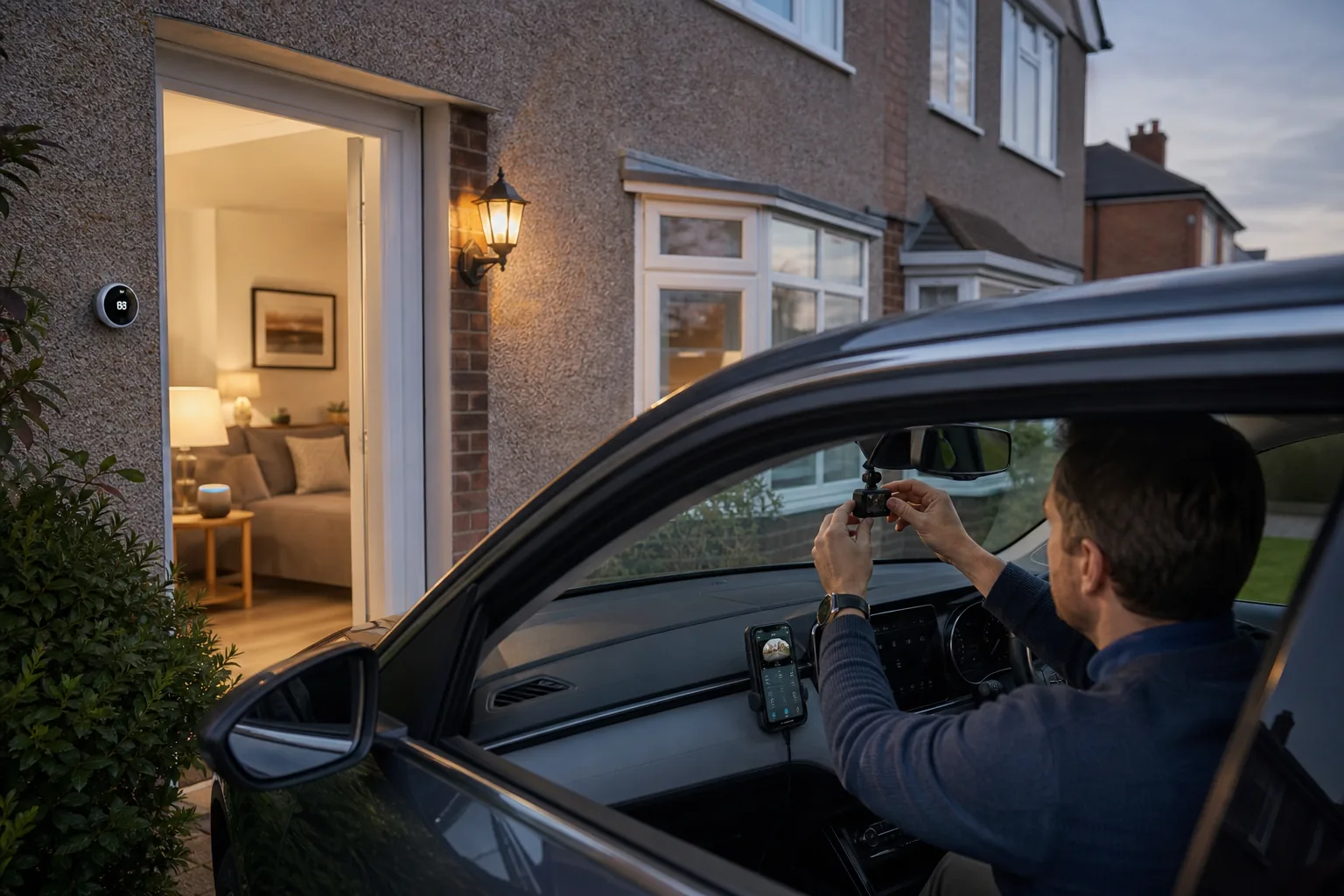
In the UK, dashcams must be positioned so they do not obstruct the driver’s view of the road. The Highway Code and the Road Vehicles (Construction and Use) Regulations 1986 require that nothing is placed in a position that impairs the driver’s vision. The recommended position is behind the rear-view mirror, as close to the centre of the windscreen as possible. This keeps the camera out of your direct line of sight while still capturing a clear view of the road ahead.
Avoid mounting the dashcam on the driver’s side of the windscreen, as this can obstruct your view and may attract attention from police. Some UK insurers also specify that the dashcam must be mounted in a position that does not interfere with airbag deployment — check your vehicle’s manual if you are unsure.
Step 2: Clean the Windscreen
Before attaching the mount, clean the area of the windscreen where the dashcam will sit. Use a clean, lint-free cloth and a small amount of isopropyl alcohol (available from Halfords or Screwfix) to remove any grease, dust, or residue. This ensures the adhesive mount bonds securely and does not fall off in hot weather — a common problem if the windscreen is not properly prepared.
Step 3: Attach the Mount
Most dashcams come with either a suction cup mount or an adhesive mount. Adhesive mounts (which use 3M adhesive pads) are generally more secure and less likely to fall off in summer heat. Suction cup mounts are easier to remove and reposition but can lose grip over time.
Peel the backing from the adhesive pad, press the mount firmly against the windscreen in your chosen position, and hold it in place for 30 seconds. Allow the adhesive to cure for at least 30 minutes before attaching the dashcam and routing the cable.
Step 4: Insert the microSD Card
Before powering on the dashcam, insert a compatible microSD card. Most dashcams accept cards up to 128GB or 256GB — check your specific model’s manual for the maximum supported capacity. Format the card using the dashcam’s built-in format function (not your computer) to ensure it uses the correct file system. Nextbase recommends formatting the card in the dashcam every two to three months to maintain performance and prevent recording errors.
Step 5: Route the Power Cable
The most common way to power a dashcam in the UK is via the 12V cigarette lighter socket (also called the accessory socket). Most dashcams include a 12V power cable with a USB-A or USB-C connector. Simply plug the cable into the socket and route it along the windscreen edge, across the headliner, and down the A-pillar to the dashcam.
For a neater installation, use a trim removal tool to tuck the cable behind the headliner trim and A-pillar trim. This keeps the cable out of sight and prevents it from dangling across the windscreen. Halfords and Screwfix both stock trim removal tool kits for under £10.
Important note: If your car’s cigarette lighter socket only has power when the ignition is on, the dashcam will automatically start and stop recording with the engine. This is the simplest and most common setup for UK drivers.
Step 6: Hardwiring for Parking Mode (Optional)
If you want your dashcam to record while the car is parked — capturing incidents in car parks or on the street — you will need to hardwire it to the vehicle’s fuse box using a hardwire kit. Nextbase sells its own hardwire kit for approximately £19–£24 as of September 2026 (prices subject to change), and compatible kits are available from Halfords and Amazon UK.
Hardwiring connects the dashcam to a fused, switched live circuit in the fuse box, allowing it to draw a small amount of power even when the ignition is off. Most hardwire kits include a low-voltage cutoff to prevent the dashcam from draining the car battery below a safe threshold — typically 11.6V or 12V.
Note: Hardwiring involves working with your vehicle’s electrical system. If you are not confident doing this yourself, Halfords offers a dashcam fitting service at most UK stores, typically priced at £29.99–£49.99 as of September 2026 (prices subject to change). This is a worthwhile option for those who want a professional, tidy installation.
Step 7: Power On and Configure
Once the dashcam is mounted and powered, it will typically start recording automatically. Before you drive, take a few minutes to configure the key settings:
- Date and time: Set the correct date and time — this is critical for insurance claims and police submissions. Dashcams with GPS (such as the Nextbase 322GW, 422GW, and 622GW) will sync the time automatically via GPS signal.
- Resolution and frame rate: Set the recording resolution to the highest your dashcam supports. For most UK drivers, 1080p at 30fps is sufficient, but 1440p or 4K provides more detail for reading number plates at distance.
- Loop recording: Enable loop recording so the dashcam automatically overwrites the oldest footage when the microSD card is full. This is the default setting on most dashcams.
- G-sensor sensitivity: The G-sensor detects sudden impacts and automatically locks the current footage to prevent it from being overwritten. Set the sensitivity to medium — too sensitive and it will lock footage unnecessarily on speed bumps; too low and it may not trigger in a minor collision.
- Parking mode: If you have hardwired the dashcam, enable parking mode in the settings menu.
- GPS logging: If your dashcam has GPS, enable GPS logging to record your speed and location alongside footage.
Step 8: Connect to the Smartphone App
Most mid-range and premium dashcams — including the Nextbase 322GW, 422GW, and 622GW — connect to a companion smartphone app via Wi-Fi or Bluetooth. The Nextbase app (available free on iOS and Android) allows you to view and download footage, adjust settings, and share clips directly from your phone. Garmin’s Vault app provides similar functionality for Garmin dashcams.
To connect, enable Wi-Fi on the dashcam (usually via the settings menu), then connect your phone to the dashcam’s Wi-Fi network and open the app. The connection process typically takes less than two minutes.
UK Legal Considerations
Dashcams are legal in the UK, but there are a few important rules to be aware of:
- UK GDPR and data protection: If your dashcam records footage of other people — including pedestrians and other drivers — you are technically processing personal data under the UK GDPR. For personal use, this is generally exempt from formal registration with the Information Commissioner’s Office (ICO), but you should not share footage publicly in a way that identifies individuals without a legitimate reason.
- Windscreen obstruction: As noted above, the dashcam must not obstruct the driver’s view. Position it behind the rear-view mirror to comply with UK regulations.
- Submitting footage to police: The National Dashcam Safety Portal (operated by Nextbase in partnership with UK police forces) allows you to submit footage of dangerous driving directly to your local police force. This is entirely voluntary and free to use.
Tips for Getting the Best Footage
- Keep the windscreen clean: Smears and dirt on the windscreen will appear in your footage. Clean the inside of the windscreen regularly, especially in winter when condensation and road spray are common.
- Check the microSD card regularly: Format the card every two to three months and check that the dashcam is recording correctly. A corrupted or full card will prevent the dashcam from recording when you need it most.
- Update the firmware: Dashcam manufacturers release firmware updates that fix bugs and improve performance. Check the manufacturer’s website or app for updates every few months.
- Consider a rear camera: A front-only dashcam will not capture rear-end collisions — one of the most common types of accident on UK roads. Adding a rear camera module (available for Nextbase dashcams from Halfords and Amazon UK) provides comprehensive coverage.
- Protect footage after an incident: If you are involved in an accident, manually lock the footage immediately using the dashcam’s emergency save button (usually marked with a red exclamation mark). This prevents the footage from being overwritten by loop recording.
Recommended Accessories
| Accessory | Purpose | Approx. UK Price (Sept 2026, subject to change) | Where to Buy |
|---|---|---|---|
| Nextbase Hardwire Kit | Enables parking mode | £19–£24 | Halfords, Amazon UK |
| SanDisk High Endurance 128GB microSD | Reliable loop recording storage | £18–£22 | Amazon UK, Currys, Argos |
| Nextbase Rear Window Camera Module | Adds rear-facing recording | £39–£49 | Halfords, Amazon UK |
| Trim removal tool kit | Neat cable routing | £5–£10 | Halfords, Screwfix, Amazon UK |
Frequently Asked Questions
Do I need to tell my insurer I have a dashcam?
You are not legally required to inform your insurer that you have fitted a dashcam, but it is worth doing so — some UK insurers offer a discount for dashcam-equipped vehicles. Check with your insurer directly, as policies vary.
Can I use a dashcam in a hire car?
You can use a dashcam in a hire car, but check the hire company’s terms and conditions first. Most hire companies permit dashcams provided they are mounted using a suction cup (not adhesive) and do not damage the vehicle. Never hardwire a dashcam in a hire car without explicit permission.
What happens to dashcam footage if my car is stolen?
If your car is stolen, the dashcam and its microSD card will likely be taken with it. Some premium dashcams — such as the BlackVue DR970X-2CH — offer cloud connectivity, which uploads footage in real time to a cloud server. This means footage is preserved even if the dashcam is stolen. Cloud subscriptions for BlackVue typically cost £4.99–£9.99 per month as of September 2026 (prices subject to change).
How long does dashcam footage last?
With loop recording enabled, a 128GB microSD card will typically store between 16 and 24 hours of 1080p footage before the oldest clips are overwritten. At 4K resolution, this drops to approximately 8–12 hours. If you are involved in an incident, lock the relevant footage immediately to prevent it from being overwritten.
Final Thoughts
Setting up a dashcam in your UK car is a straightforward process that most drivers can complete in under an hour. The key steps are choosing the right model for your budget and needs, mounting it correctly behind the rear-view mirror, routing the power cable neatly, and configuring the essential settings before your first drive. For those who want parking mode protection, a hardwire kit and professional fitting from Halfords is a worthwhile addition.
With dashcam footage now accepted by all major UK insurers and submittable to police via the National Dashcam Safety Portal, fitting a dashcam is one of the most practical steps you can take to protect yourself on UK roads in 2026. Whether you opt for the affordable Nextbase 222X or the feature-rich Nextbase 622GW, the peace of mind a dashcam provides is well worth the investment.
Tom Barrows
Editor, HomeTechLAB
Researched and drafted with AI, reviewed and edited by Tom Barrows. How we produce our guides
Last updated: 25 Oct 2026
Please note: Everything on HomeTechLAB is our subjective opinion, offered to help with your research — not a statement of fact. Always do your own research and check current details with the retailer or manufacturer before you buy.