Why Your Home Office Setup Matters More Than You Think
Working from home has become a permanent fixture for millions of people across the UK. Whether you're fully remote, hybrid, or simply spending evenings on side projects, the quality of your home office setup has a direct impact on your productivity, comfort, and long-term health. Poor posture, inadequate lighting, and the wrong desk height can lead to back pain, eye strain, and repetitive strain injuries — all of which are entirely preventable with the right approach.
This guide walks you through every element of building a genuinely ergonomic home office in the UK, from choosing the right desk and chair to positioning your monitor correctly and managing cables. We've researched current UK pricing and availability across major retailers including Amazon UK, Currys, John Lewis, IKEA, and Argos, so you can make informed decisions at every budget level.
Understanding UK Ergonomic Standards
Before spending a penny, it's worth understanding the regulatory backdrop. In the UK, the Health and Safety (Display Screen Equipment) Regulations 1992 (amended 2002) — enforced by the Health and Safety Executive (HSE) — set out minimum requirements for workstations used by employees. While these regulations technically apply to employers, the principles they establish are excellent guidance for anyone setting up a home office.
Key HSE recommendations include:
- The top of your monitor screen should be at or slightly below eye level
- Your chair should support your lower back (lumbar region)
- Your feet should rest flat on the floor or on a footrest
- Your forearms should be roughly horizontal when typing
- There should be adequate space in front of the keyboard to rest your wrists
- Lighting should be sufficient to avoid eye strain — the Chartered Institution of Building Services Engineers (CIBSE) recommends 300–500 lux for office tasks
These aren't arbitrary rules — they're based on decades of occupational health research. Building your setup around them is the single most effective thing you can do for your long-term wellbeing.
Step 1: Choose the Right Desk
Your desk is the foundation of your home office. The key dimensions to consider are height, depth, and surface area. Standard fixed-height desks sit at around 72–75cm, which suits people of average height (roughly 5'8"–5'10") when paired with a properly adjusted chair. If you're significantly taller or shorter, a height-adjustable desk is worth serious consideration.
Fixed-Height Desks
For most people on a budget, a well-built fixed desk is perfectly adequate. IKEA's range is a popular starting point — the IKEA Bekant desk (available in multiple sizes) offers solid build quality and a clean aesthetic, with prices starting from around £150 at IKEA UK stores and online. For a more substantial surface, the IKEA Alex desk with drawer unit combination is a favourite among home workers, typically costing £200–£300 depending on configuration.
Sit-Stand (Height-Adjustable) Desks
Sit-stand desks have become increasingly popular and for good reason. Alternating between sitting and standing throughout the day reduces the health risks associated with prolonged sitting, including lower back pain and poor circulation. The UK market is well-served by several strong options.
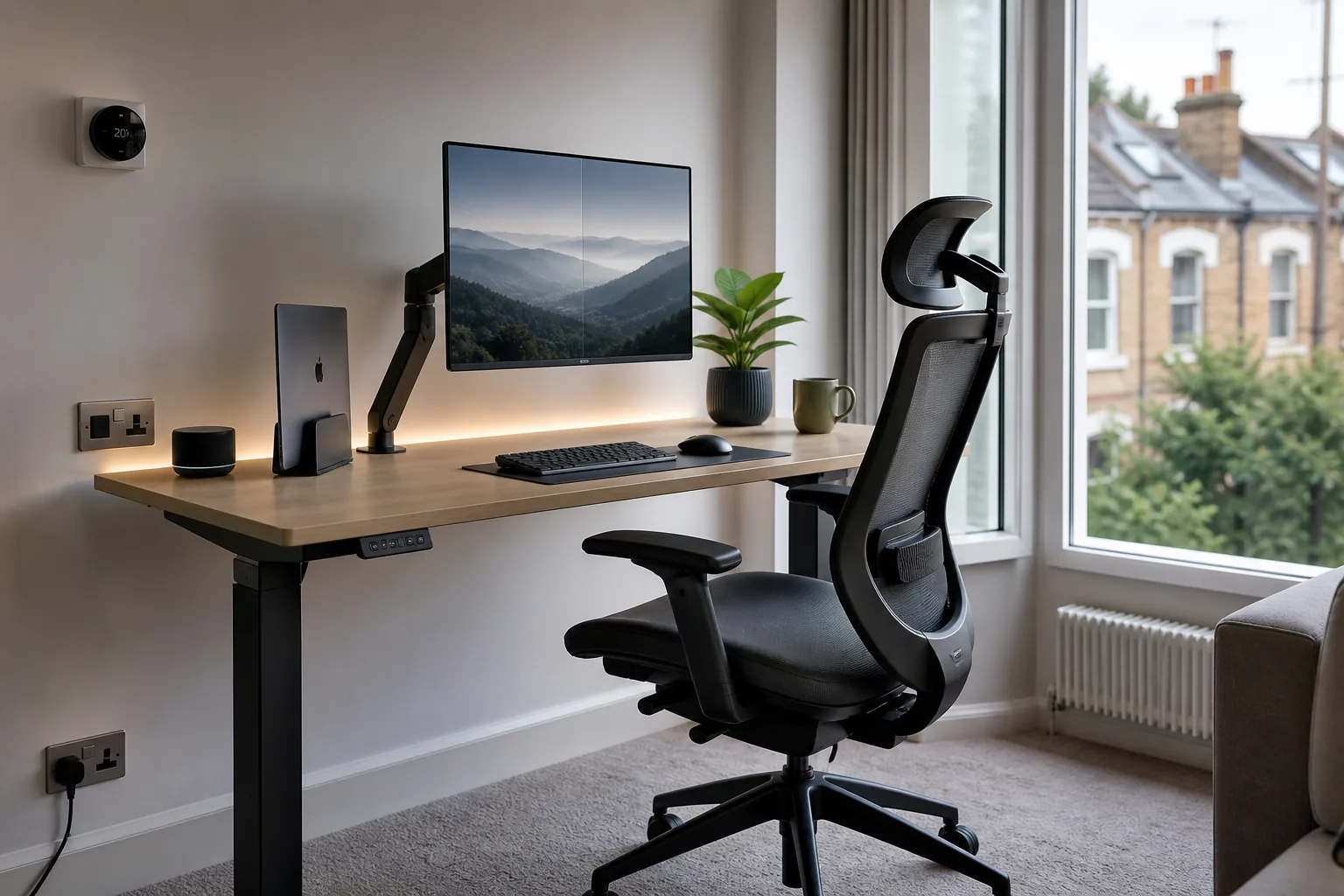
The Flexispot E5 is one of the most popular mid-range electric sit-stand desks in the UK, available from Flexispot UK and Amazon UK. As of September 2026, prices typically range from £349 to £399 for the frame alone, with desktop options adding to the cost. It offers a height range of 58–123cm, dual motors, and a weight capacity of 125kg — more than sufficient for a typical home office setup.
Stepping up, the Flexispot E7 Pro adds a more robust frame, improved stability at standing height, and a wider height range. Prices run from approximately £499 to £549 as of September 2026, subject to change. For those on a tighter budget, the Flexispot EG1 offers a more affordable entry point at around £199–£249, though it uses a single motor and has a lower weight capacity.
The IKEA Bekant Sit/Stand desk is another option worth considering, available at IKEA UK for around £449 as of September 2026. It uses an electric motor and offers a clean, minimalist aesthetic that suits most home environments. Note that all prices are subject to change and should be verified at point of purchase.
Desk Sizing Tips
- Depth: Aim for at least 60cm of depth to allow your monitor to sit at the correct distance (50–70cm from your eyes)
- Width: 120cm is a comfortable minimum for a single-monitor setup; 140–160cm gives you room for dual monitors or additional peripherals
- Surface: A matte finish reduces glare and is easier to keep clean than high-gloss options
Step 2: Invest in a Proper Ergonomic Chair
Your chair is arguably the most important investment in your home office. A poor chair will cause discomfort within hours; a good one will support you through an entire working day without complaint. The key features to look for are lumbar support, seat depth adjustment, armrest adjustability, and breathable materials.
Budget Options (Under £300)
The IKEA Markus is a perennial recommendation for budget-conscious home workers. Available at IKEA UK for around £229 as of September 2026, it offers decent lumbar support, a breathable mesh back, and a solid build quality that belies its price. It's not infinitely adjustable, but for many people it's more than adequate.
The Flexispot BS14 is another strong option in this price bracket, typically available from Flexispot UK and Amazon UK for £299–£349 as of September 2026. It features adjustable lumbar support, 3D armrests, and a mesh back — a significant step up from basic office chairs at a similar price point. Prices are subject to change.
Mid-Range Options (£300–£700)
The Autonomous ErgoChair Pro (available from Autonomous UK, approximately £399–£449 as of September 2026) offers a high degree of adjustability including adjustable lumbar support, seat tilt, and recline tension. It's a popular choice among remote workers who want genuine ergonomic features without spending four figures.
The Ergohuman Elite is a well-regarded option available from Amazon UK and specialist office furniture retailers, typically priced at £600–£700 as of September 2026. It features a fully adjustable headrest, lumbar support, and armrests, with a breathable mesh construction throughout. Prices are subject to change.
Premium Options (£700+)
If you spend eight or more hours a day at your desk, a premium ergonomic chair is a genuine health investment. The Herman Miller Aeron is the benchmark against which all other ergonomic chairs are measured. Available at John Lewis and specialist ergonomic furniture retailers in the UK, prices typically range from £1,200 to £1,500 as of September 2026, depending on size and configuration. It features PostureFit SL lumbar support, an 8Z Pellicle mesh that distributes weight evenly, and a 12-year warranty. Prices are subject to change.
The HAG Capisco (approximately £800–£1,000 as of September 2026) is a distinctive saddle-style chair that works particularly well with sit-stand desks, as it can be used at multiple heights. It's available from specialist ergonomic retailers in the UK.
Chair Setup Checklist
- Seat height: feet flat on floor, thighs roughly parallel to the ground, knees at approximately 90 degrees
- Lumbar support: positioned to support the natural inward curve of your lower back
- Armrests: adjusted so your shoulders are relaxed and forearms are roughly horizontal
- Seat depth: 2–4 fingers of space between the front edge of the seat and the back of your knees
- Backrest recline: a slight recline (100–110 degrees) reduces spinal disc pressure compared to sitting bolt upright
Step 3: Position Your Monitor Correctly
Monitor positioning is one of the most commonly overlooked aspects of ergonomic setup, yet it has a significant impact on neck and eye strain. The HSE guidelines are clear: the top of your screen should be at or slightly below eye level, and the screen should be approximately 50–70cm from your eyes (roughly arm's length).
Monitor Arms
A monitor arm is one of the best investments you can make for your home office. It frees up desk space, allows precise positioning, and makes it easy to adjust your monitor height as needed. The Ergotron LX is the most widely recommended option in the UK, available from Amazon UK and Currys for approximately £89–£109 as of September 2026. It supports monitors up to 34 inches and 11.3kg, and offers smooth, tool-free adjustment. Prices are subject to change.
For a more budget-friendly option, the Amazon Basics Single Monitor Arm (available from Amazon UK for approximately £39–£49 as of September 2026) is a solid performer for monitors up to 27 inches. It lacks the premium feel of the Ergotron but does the job well for most home office setups.
Laptop Users
If you're working primarily from a laptop, you should raise it to eye level using a laptop stand and connect an external keyboard and mouse. This is non-negotiable from an ergonomic standpoint — working with a laptop flat on a desk forces you to hunch forward and look down, which places enormous strain on your neck and upper back over time.
The Rain Design mStand is a popular aluminium laptop stand available from Amazon UK for approximately £49–£59 as of September 2026. The Nexstand K2 is a more affordable folding option at around £29–£39, and is particularly useful if you need to pack your setup away regularly. Prices are subject to change.
Dual Monitor Setups
If you use two monitors, position your primary monitor directly in front of you and the secondary monitor to the side at a slight angle. Avoid placing both monitors side by side and working from the centre — this forces constant neck rotation and leads to strain over time. If you use both monitors equally, consider a curved ultrawide monitor instead, which provides a wider field of view without the neck rotation penalty.
Step 4: Choose an Ergonomic Keyboard and Mouse
Standard keyboards and mice are designed for compactness and cost, not ergonomics. If you type for several hours a day, switching to ergonomic peripherals can make a meaningful difference to wrist and shoulder comfort.
Ergonomic Keyboards
The Logitech Ergo K860 is one of the most popular ergonomic keyboards in the UK, available from Amazon UK and Currys for approximately £109–£129 as of September 2026. It features a split layout, a cushioned palm rest, and a negative tilt option that keeps your wrists in a more natural position. It connects via Bluetooth or the Logitech Bolt USB receiver and supports up to three devices.
The Microsoft Sculpt Ergonomic Keyboard is another well-regarded option, available from Amazon UK for approximately £79–£89 as of September 2026. It uses a domed, split design that encourages a more natural wrist position, and includes a separate number pad. Prices are subject to change.
For those who prefer a more conventional layout with ergonomic benefits, the Logitech MX Keys (available from Currys and Amazon UK for approximately £99–£119 as of September 2026) is a premium wireless keyboard with a comfortable typing feel and smart backlighting that adjusts to ambient light.
Ergonomic Mice
The Logitech MX Master 3S is widely regarded as one of the best productivity mice available in the UK, available from Currys and Amazon UK for approximately £89–£99 as of September 2026. It features a comfortable sculpted shape, a MagSpeed electromagnetic scroll wheel, and connects via Bluetooth or USB receiver. It's not a vertical mouse, but its ergonomic shaping reduces wrist strain compared to standard mice.
For those with wrist pain or RSI concerns, a vertical mouse is worth considering. The Logitech MX Vertical (available from Amazon UK for approximately £79–£89 as of September 2026) holds your hand in a handshake position, which reduces forearm pronation and associated strain. The Anker Vertical Mouse offers a more affordable entry point at around £29–£39 from Amazon UK. All prices are subject to change.
Step 5: Get Your Lighting Right
Poor lighting is a major contributor to eye strain and headaches during long work sessions. The goal is to achieve consistent, glare-free illumination that matches the brightness of your screen.
Natural Light
Position your desk so that natural light comes from the side rather than directly behind or in front of your monitor. Light from behind creates glare on your screen; light from in front creates glare in your eyes. A desk positioned perpendicular to a window is ideal.
Monitor Lights
A monitor-mounted light bar is an excellent solution for home offices. The BenQ ScreenBar Plus is the premium option, available from Amazon UK for approximately £149–£169 as of September 2026. It clips to the top of your monitor, illuminates your desk without creating screen glare, and includes a wireless controller for brightness and colour temperature adjustment. The standard BenQ ScreenBar (without the wireless controller) is available for around £99–£109 and is an excellent value option.
The Elgato Key Light (approximately £149–£169 from Amazon UK as of September 2026) is primarily designed for content creators but works well as a desk light, offering precise brightness and colour temperature control via an app. Prices are subject to change.
Ambient Lighting
Bias lighting — placing a light source behind your monitor — reduces the contrast between your bright screen and the darker surrounding environment, which reduces eye strain during long sessions. LED strip lights placed behind your monitor are an affordable way to achieve this effect.
Step 6: Manage Cables and Reduce Clutter
A cluttered desk is a productivity killer. Cable management is one of those tasks that feels tedious but pays dividends in terms of focus and ease of use. A few practical approaches:
- Cable trays: Mount a cable management tray under your desk to route power strips and cables out of sight. IKEA's Signum cable management rail (around £15 at IKEA UK) is a popular and affordable option.
- Cable clips and ties: Use adhesive cable clips to route cables along desk legs and walls. Velcro cable ties are reusable and much easier to work with than zip ties.
- Docking station or USB hub: A single docking station or USB hub reduces the number of cables connecting to your laptop or PC. This is particularly valuable for laptop users who connect multiple peripherals.
- Wireless peripherals: Switching to wireless keyboard and mouse eliminates two of the most common desk cables entirely.
Step 7: Consider a Footrest
If your chair is adjusted to the correct height for your desk but your feet don't reach the floor comfortably, a footrest is essential rather than optional. The Kensington SoleMate Comfort Footrest (available from Amazon UK for approximately £49–£59 as of September 2026) offers adjustable height and angle, and a non-slip surface. The Fellowes Professional Series Standard Footrest is a more affordable option at around £39–£49 from Amazon UK. Prices are subject to change.
Step 8: Take Regular Breaks
No amount of ergonomic equipment will fully compensate for sitting still for hours at a time. The HSE recommends regular short breaks from screen work — the Pomodoro technique (25 minutes of focused work followed by a 5-minute break) is a popular and effective approach. During breaks, stand up, move around, and look at something at least 6 metres away to give your eye muscles a rest.
If you have a sit-stand desk, aim to alternate between sitting and standing every 30–60 minutes. Most electric sit-stand desks include programmable height presets that make this effortless.
Putting It All Together: Budget Tiers
| Component | Budget (Under £500 total) | Mid-Range (£500–£1,500 total) | Premium (£1,500+) |
|---|---|---|---|
| Desk | IKEA Bekant (fixed) ~£150 | Flexispot E5 sit-stand ~£349–£399 | Flexispot E7 Pro ~£499–£549 |
| Chair | IKEA Markus ~£229 | Autonomous ErgoChair Pro ~£399–£449 | Herman Miller Aeron ~£1,200–£1,500 |
| Monitor Arm | Amazon Basics ~£39–£49 | Ergotron LX ~£89–£109 | Ergotron LX or Humanscale M8.1 |
| Keyboard | Microsoft Sculpt Ergonomic ~£79–£89 | Logitech Ergo K860 ~£109–£129 | Logitech MX Keys ~£99–£119 |
| Mouse | Anker Vertical ~£29–£39 | Logitech MX Vertical ~£79–£89 | Logitech MX Master 3S ~£89–£99 |
| Lighting | Basic LED desk lamp ~£20–£30 | BenQ ScreenBar ~£99–£109 | BenQ ScreenBar Plus ~£149–£169 |
All prices as of September 2026 and subject to change. Verify current pricing at point of purchase.
Common Mistakes to Avoid
- Monitor too low: Working with your monitor at desk level forces you to look down, straining your neck. Raise it to eye level.
- Chair too high or too low: If your feet dangle or your knees are above your hips, your chair needs adjusting.
- Keyboard too far away: Your keyboard should be close enough that your elbows are at roughly 90 degrees and your shoulders are relaxed.
- Ignoring wrist position: Your wrists should be roughly neutral (not bent up or down) when typing. A wrist rest can help, but it should support your palms during pauses, not your wrists while typing.
- Overlooking lighting: Working in a dim room with a bright screen is a recipe for eye strain. Match your ambient lighting to your screen brightness.
- Skipping breaks: Even the best ergonomic setup can't compensate for sitting still for hours. Move regularly.
Final Thoughts
Setting up an ergonomic home office doesn't have to mean spending thousands of pounds. Even modest improvements — raising your monitor to eye level, adjusting your chair height, and adding a proper desk light — can make a significant difference to your comfort and productivity. Start with the fundamentals, prioritise the components you interact with most (chair and monitor position first), and build from there as your budget allows.
The UK market is well-served by a range of ergonomic products at every price point, from IKEA's affordable basics to Herman Miller's premium offerings. Whatever your budget, the principles remain the same: support your body, position your screen correctly, manage your lighting, and take regular breaks. Your future self will thank you.
Tom Barrows
Editor, HomeTechLAB
Researched and drafted with AI, reviewed and edited by Tom Barrows. How we produce our guides
Last updated: 25 Oct 2026
Please note: Everything on HomeTechLAB is our subjective opinion, offered to help with your research — not a statement of fact. Always do your own research and check current details with the retailer or manufacturer before you buy.