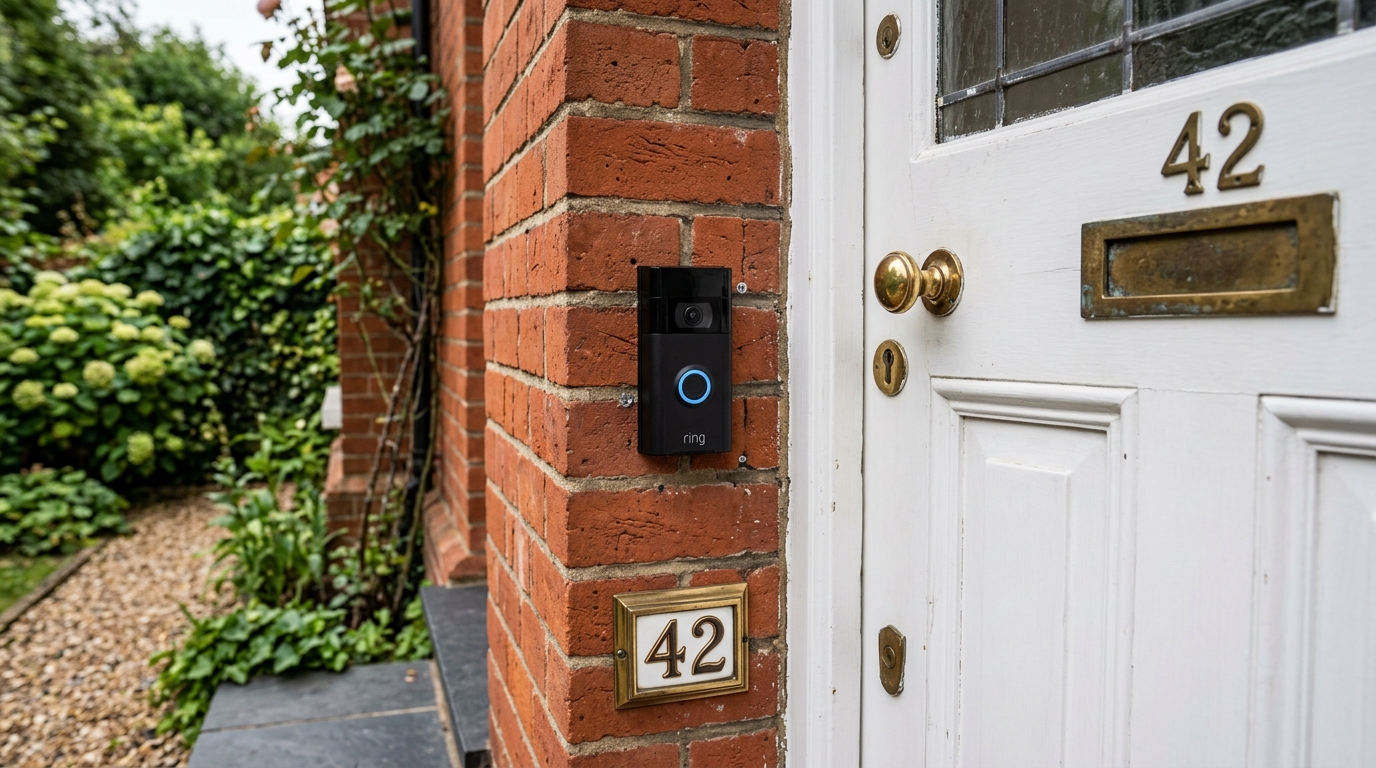
The Ring Video Doorbell is one of the most popular smart doorbells in the UK, and the good news is that most models are designed to be fitted by the average homeowner in under an hour. This guide walks you through the whole process for UK homes — from charging and app setup to choosing the right mounting height in centimetres, and the extra considerations that apply if you want to hardwire it to an existing chime or a UK transformer.
We cover the battery-powered install (the quickest and most common route) as well as wired Ring doorbell installation in the UK, including the voltage and transformer rules that are specific to 230V British homes. Where mains electricity is involved, we are clear about when the job crosses the line into work that should be left to a qualified electrician.
At a glance
- Difficulty: Easy (battery) to moderate (wired)
- Total time: Around 30–60 minutes for a battery install (plus charging)
- Tools: Drill, the included screwdriver and template, a spirit level
- Skill needed for wired installs: Basic DIY for existing low-voltage wiring; a qualified electrician for anything involving 230V mains
What You'll Need
- Your Ring Video Doorbell and the included mounting hardware, screws and wall plugs
- The paper mounting template supplied in the box
- A drill with the correct bit for your wall (masonry bit for brick, wood bit for timber or uPVC frames)
- The small screwdriver supplied by Ring (and a Phillips screwdriver as backup)
- A spirit level (or a phone level app) to keep it straight
- Your smartphone or tablet with the Ring app installed
- A strong, stable Wi-Fi signal at the door — check this before you drill anything
How Long Does It Take to Install a Ring Doorbell?
A battery-powered Ring doorbell takes most people 30 to 60 minutes of hands-on work, once the battery is charged. Charging itself can take 2–4 hours, so it is worth doing the night before. A wired installation onto existing doorbell wiring adds around 30–60 minutes; a wired installation that needs a new transformer or new cabling is a bigger job and, in the UK, usually one for an electrician.
Step 1: Charge Your Device
Time required: 2–4 hours
- Remove the Ring doorbell from its packaging.
- Locate the removable battery pack — on most models you press the release tab on the base, or remove the faceplate to access it.
- Connect the included USB cable to the battery.
- Plug it into a standard USB charger or a computer.
- Wait for the indicator light to turn solid green, which means it is fully charged.
Pro tip: Charge the battery to full the night before installation day so you are not waiting around when you are ready to fit it.
Step 2: Download the Ring App & Set Up Your Account
Time required: 5–10 minutes
- Download the Ring app from the App Store (iOS) or Google Play (Android).
- Create a new Ring account, or sign in if you already have one.
- Tap Set Up a Device.
- Select Doorbells, then choose your specific Ring model.
- Follow the in-app setup wizard — it will ask you to scan the QR code or MAC ID on the device.
Important: Have your home Wi-Fi name and password to hand — you will need them during setup. Ring doorbells connect to 2.4GHz and (on newer models) 5GHz networks; if your router uses one combined network name for both, that is fine.
Step 3: Choose the Right Location and Height
Time required: 10–15 minutes
Getting the position right matters more than anything else for the quality of your footage. Aim to mount the doorbell so the camera captures faces and the path to your door, not just the sky or the doormat.
- Choose a spot roughly 122cm (about 1.2 metres) from the ground — this is the height Ring recommends and it frames a typical adult visitor well.
- If your path slopes or visitors approach from the side, an angle mount (wedge kit) helps aim the camera correctly.
- Use the included paper template to mark the screw holes.
- Test the Wi-Fi signal at that exact spot with your phone before committing.
- Check the viewing angle covers your entrance, gate or driveway as you want it to.
Pre-installation checklist
- ✓ The location gets a strong, stable Wi-Fi signal
- ✓ The mounting surface is solid (brick, timber, a door frame or uPVC)
- ✓ Mounting height is around 107–122cm (roughly 1.07–1.22 metres)
- ✓ The viewing angle covers the entrance and approach
- ✓ The doorbell is not aimed directly at bright sky or a busy road that will trigger constant alerts
Step 4: Mount the Doorbell (Battery Installation)
Time required: 15–20 minutes
This is the most common way people fit a Ring doorbell in the UK, and it needs no electrical work at all.
- Hold the paper template level against the wall at your chosen height and mark the screw positions.
- Drill pilot holes using the correct bit — a masonry bit for brick or render, a wood bit for timber or uPVC. Insert the supplied wall plugs into brick or masonry.
- Attach the mounting bracket with the included screws.
- If you are using the angle (wedge) kit, fit that behind the bracket first.
- Check the bracket is level with a spirit level before you tighten fully.
- Insert the charged battery, then clip the doorbell onto the bracket — it should click firmly into place. Fit the security screw at the base to finish.
Safety tip: Wear safety glasses when drilling, especially into brick or masonry, and check for hidden cables or pipes before you drill.
Step 5: Ring Wired Doorbell Installation (UK)
Time required: 30–60 minutes for existing wiring; longer if a new transformer or circuit is needed
Wiring a Ring doorbell keeps it permanently charged and, on models that support it, can ring your existing chime. UK homes work differently from US ones here, so it is worth understanding the basics before you start.
⚠️ Safety warning
Working with mains electricity can be dangerous. We strongly recommend using a qualified electrician for any wired installation that involves 230V mains, a new transformer, or new cabling. Getting it wrong can cause fire, electric shock or serious injury.
How to Wire a Ring Doorbell in the UK: Voltage and Transformer Basics
- Ring doorbells need a low-voltage supply of 8–24V AC (many models specify a transformer rated up to around 40VA).
- UK mains is 230V, so you cannot connect a Ring doorbell directly to the mains — it needs a step-down doorbell transformer.
- Any transformer you use should be a BS EN certified unit suitable for UK installation, typically fitted at the consumer unit or on a fused spur.
- Polarity does not matter on Ring's two doorbell terminals, so you do not need to worry about which existing wire goes where.
What About Existing UK Doorbell Chimes?
Many UK homes have a wired mechanical or electronic chime. Depending on your Ring model, you may be able to connect it so your existing chime still rings, or Ring may supply a small in-chime adapter (a "Pro Power Kit" or similar) to make an older chime compatible. Always check the instructions for your specific model — wiring a Ring doorbell into an incompatible chime can stop it working or damage the chime.
When You Should Use a Qualified Electrician
- Installing a new transformer or a new circuit
- Any work connecting to 230V mains electricity
- Homes with no existing doorbell wiring at all
- Anything involving the consumer unit
- Whenever you are unsure — new fixed wiring may fall under Part P of the Building Regulations in England and Wales
For Existing Low-Voltage Wiring Only
If you already have a working low-voltage doorbell with a compatible transformer, connecting a Ring is a smaller job:
- Isolate the power: Turn off the supply to the doorbell circuit at the consumer unit or fused spur.
- Confirm it is dead: Use a voltage tester to check the wires are not live. Never work on live circuits.
- Check compatibility: Verify the existing transformer output is within Ring's 8–24V AC range.
- Disconnect the old doorbell: Label the two low-voltage wires as you remove them.
- Connect the Ring: Attach the two wires to Ring's terminals (polarity does not matter).
- Test: Restore power and check the doorbell powers up, presses correctly and (if configured) rings your chime.
Typical UK Costs for Professional Help
As a rough guide for 2026, expect a transformer replacement to cost in the region of £80–£150, and a new dedicated circuit or more involved wiring around £150–£300, depending on your home and location. Always get a written quote first.
Legal disclaimer: This guide is for information only. Always consult a qualified electrician for mains electrical work. Improper installation can cause fire, electric shock or death.
Step 6: Connect to Wi-Fi and Test Everything
Time required: 5–10 minutes
- Open the Ring app and continue the setup process for your doorbell.
- Connect to your home Wi-Fi network when prompted, entering the password carefully.
- Press the doorbell button and confirm you receive a notification on your phone.
- Test the two-way audio by speaking through the app.
- Check the live view for clear video, day and (if possible) night.
- Adjust the motion zones and sensitivity so you capture visitors, not passing traffic.
Final testing checklist
- ✓ Pressing the button triggers a notification
- ✓ Motion detection works and is aimed sensibly
- ✓ Video is clear in daylight and at night
- ✓ Two-way audio works in both directions
- ✓ The Wi-Fi connection is stable (check signal strength in the app)
Troubleshooting Common Issues
Poor Wi-Fi signal at the door
- Move your router closer, or add a Wi-Fi extender or mesh point near the front of the house.
- Thick brick or stone walls between the router and door weaken the signal — a mesh system usually helps more than repositioning alone.
Motion detection is too sensitive
- Redraw the motion zones in the Ring app to exclude the pavement or road.
- Lower the motion sensitivity, and use the privacy/exclusion zones for areas you do not want recorded.
The battery drains quickly
- Reduce how often motion is recorded, and tighten your motion zones.
- Very busy locations cause constant alerts — for these, a wired installation is a better long-term option.
- Cold UK winters can shorten battery life; charging indoors and refitting is normal in very cold spells.
Frequently Asked Questions
How do you install a Ring video doorbell?
Charge the battery fully, set up the Ring app and your account, choose a location around 122cm from the ground with a strong Wi-Fi signal, mark and drill the mounting bracket using the supplied template, clip the doorbell on, then connect it to Wi-Fi and test the button, video and audio. For most people the battery version takes 30–60 minutes once the battery is charged.
How do you wire a Ring doorbell in the UK?
Ring doorbells run on 8–24V AC, so in a UK home you connect them through a BS EN certified step-down transformer rather than directly to the 230V mains. If you already have compatible low-voltage doorbell wiring, isolate the power at the consumer unit, confirm it is dead with a voltage tester, connect the two wires to Ring's terminals (polarity does not matter) and test. Any work involving the mains, a new transformer or new cabling should be done by a qualified electrician.
Can I install a Ring doorbell myself?
Yes. The battery-powered models are designed for DIY installation and need no electrical work — just a drill, the supplied bracket and the app. Wiring one into existing low-voltage doorbell wiring is also achievable for a confident DIYer, but anything involving 230V mains or a new transformer should be left to a qualified electrician.
What height should a Ring doorbell be installed at?
Ring recommends mounting the doorbell around 122cm (roughly 1.2 metres) from the ground. Anywhere in the region of 107–122cm works well for framing an adult visitor's face. If your path slopes or approaches from an angle, use the included wedge kit to aim the camera correctly.
Do I need an electrician to install a Ring doorbell?
Not for the battery models — they need no wiring. You only need an electrician for wired installations that involve the 230V mains, fitting a new transformer, running new cables, or any work at the consumer unit. Connecting to existing, compatible low-voltage doorbell wiring can usually be done yourself if you isolate the power safely first.
Does a Ring doorbell work with my existing UK chime?
Often yes, but it depends on the model and your chime. Some Ring doorbells can ring an existing wired mechanical or electronic chime, sometimes using a small in-chime adapter supplied by Ring. Always check the instructions for your specific model before wiring it in, as an incompatible chime can stop the doorbell working. If you prefer, you can skip the wired chime entirely and use a plug-in Ring Chime or your phone for alerts.
How long does a Ring doorbell battery last?
Battery life varies with how much activity the doorbell records, but many UK users get several weeks to a few months between charges. Busy doorways and cold winter weather shorten this, so if you find yourself recharging frequently, tightening your motion zones or moving to a wired installation will help.
Related Reading
If you are still choosing a doorbell or want to get the most out of the one you have, these guides will help:


